Download Buildmatica Mod for Minecraft PE: recreate buildings and farms with hologram blueprints, follow block-by-block instructions, adjust construction layers, and track the materials needed for your projects.
Buildmatica Mod for Minecraft PE
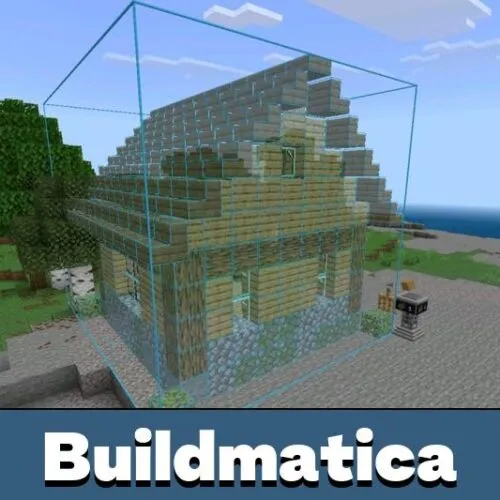
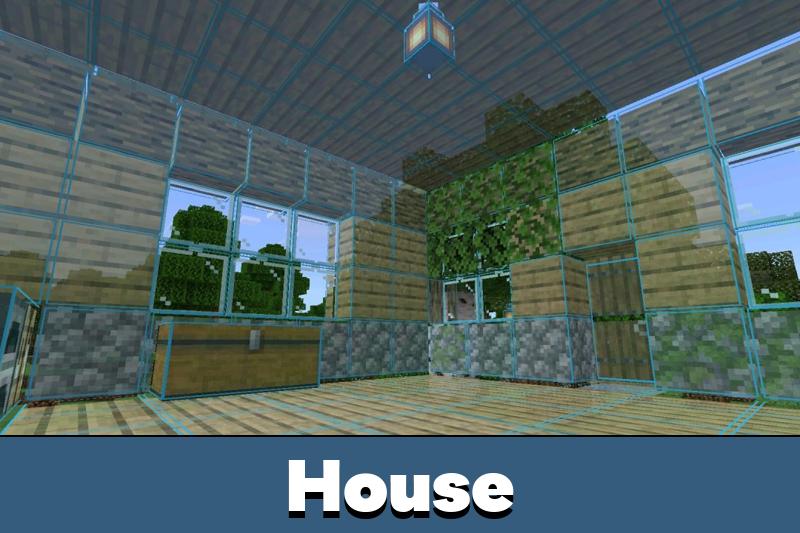
Buildmatica Mod brings Litematica-style building assistance to Minecraft Bedrock Edition. Instead of relying on screenshots or constantly checking construction plans, players can see a transparent hologram of a structure directly inside their world.
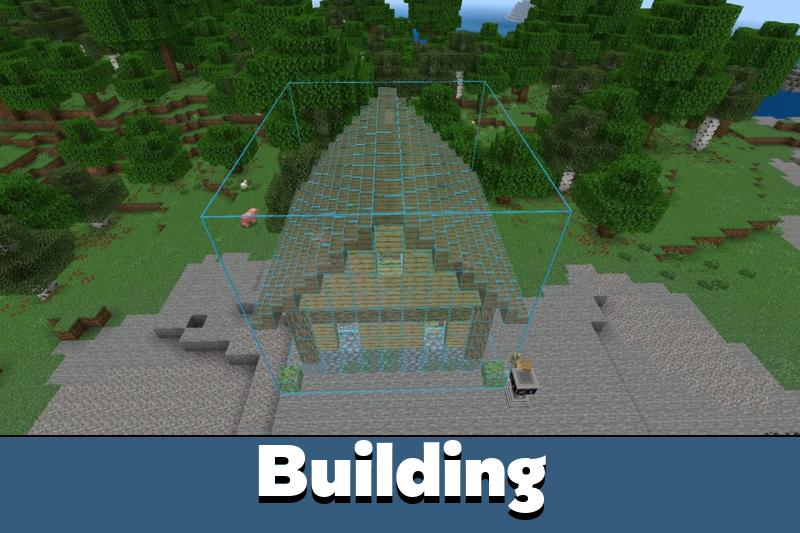
The addon displays buildings and farms as blueprints that show where individual blocks belong. Players follow the projection and place each block manually until the construction is complete.
Buildmatica also works on servers and Realms, making it useful for individual projects and shared building worlds.
Buildmatica
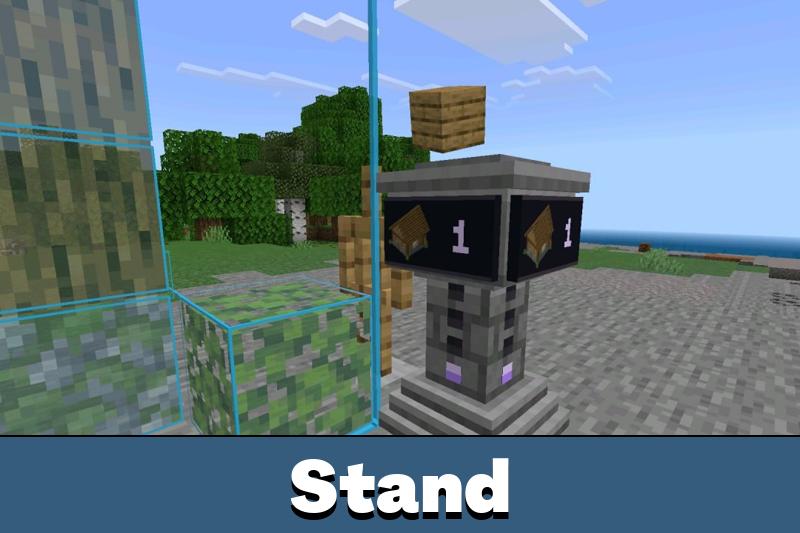
The Buildmatica mod uses an armor stand to display holographic structures. Give the armor stand the item associated with a saved build, and its transparent projection appears in the world.
Players can examine the hologram from different angles and use it as a guide while constructing houses, farms, or other structures.
The projector allows users to rotate the displayed building. A simple interaction changes its orientation without requiring the entire project to be repositioned manually.
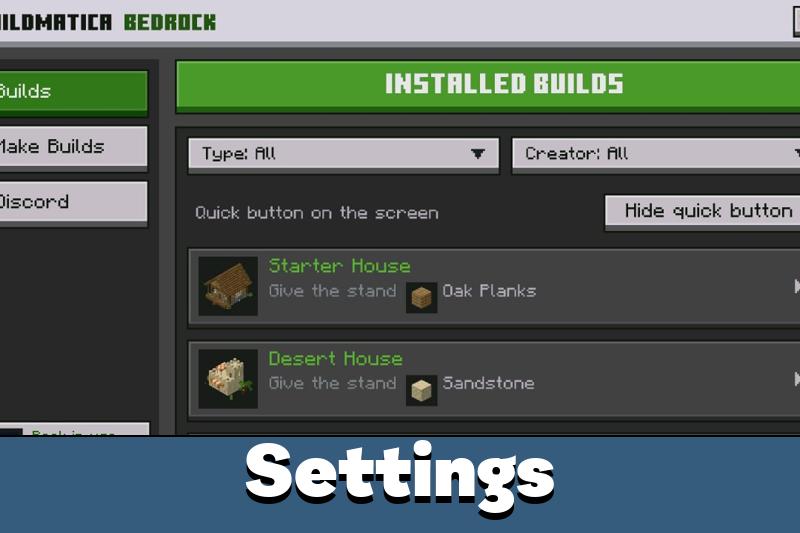
The Buildmatica menu also shows available blueprints and the items associated with them.
Buildmatica displays transparent construction plans rather than placing blocks automatically. Players build each structure themselves by following the hologram.
Adjusting a Build
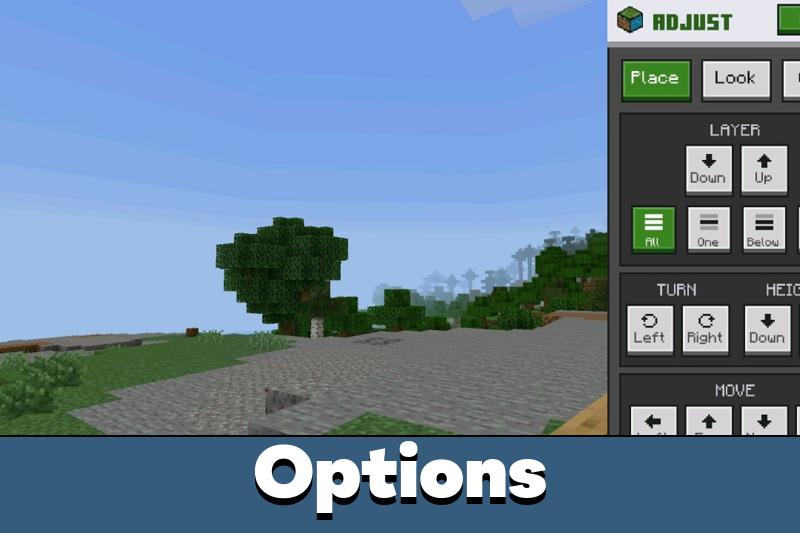
The addon includes an Adjust menu accessible from the pause screen. This provides several options for controlling the position and appearance of a hologram.
Players can move the projected structure left, right, closer, or farther away. Height controls allow the entire blueprint to be raised or lowered.
Rotation settings help align buildings with the surrounding terrain. Users can also switch between saved blueprints without changing the item held by the armor stand.
Building tools like these make detailed construction easier to organize. Other useful additions can be found among Tools Mods for Minecraft Bedrock Edition.
Layer-by-Layer Construction
One of the most useful features is the ability to display individual construction layers. Instead of viewing an entire building at once, players can focus on the section they are currently assembling.
The layer controls can show one level, everything below it, or the layers above it. This is particularly convenient when working on floors, roofs, and complicated interior structures.
Additional display settings control hologram transparency, grid lines, and grid colors. Players can also hide the armor stand to keep the construction area clear.
The Block slider allows users to display only a selected block type, such as Oak Logs or Stone. Returning the slider to All restores the complete hologram.
Block Check
Buildmatica includes an optional Block Check feature that identifies correctly and incorrectly placed blocks.
When enabled, correctly placed blocks turn green, while incorrect blocks appear red. This helps players find construction mistakes before continuing to the next layer.
To activate the feature, open Global Resources, select the settings for your builds pack, and turn the Block Check option on.
The checking system has some limitations. Related blocks can be recognized as equivalent. For example, Stone, Cobblestone, and Stone Bricks may all count as correct in a stone position.
For players looking to expand their building possibilities beyond holographic blueprints, Mods for Minecraft PE offers additional ways to customize the game.
Block Check is disabled by default to reduce device load. Enable it when you need placement feedback or construction progress tracking.
Materials and Build Progress
The Buildmatica addon includes a detailed material list for each blueprint. Players can check the total number of required blocks, how many are missing, and how many they already have.
The list can remain visible on the screen while collecting resources. When enough of a particular material is available, its entry turns green.
With Block Check enabled, a progress indicator above the projector also shows how much of the construction has been completed.
These features help builders manage large projects without repeatedly counting blocks or returning to their inventory.





Spent forever figuring out the roof on my farm build, then tried the layer view and finally got it right. Wish I’d found the material counter earlier though, would’ve saved me like three trips.