Download CheatBox for Minecraft PE: unlock flight, teleportation, item generation, ore radar, powerful combat tools, and inventory controls while keeping achievements available in your mobile world.
CheatBox for Minecraft PE
CheatBox is a multifunctional utility suite for Minecraft Bedrock Edition. It gives players access to movement abilities, inventory management, navigation tools, combat improvements, and administrative controls through a convenient menu.
The main feature is its achievement-friendly design. According to the developer, players can use these tools without enabling the standard Activate Cheats option in World Settings.
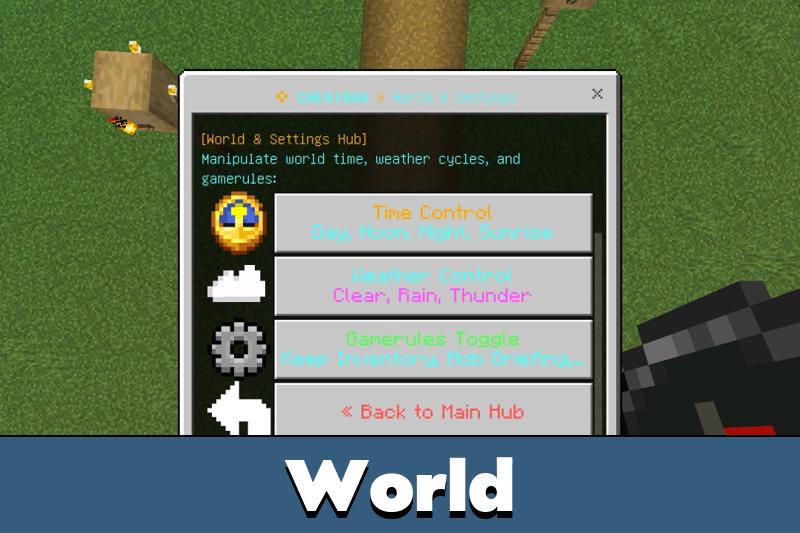
The utility works through the native Script API and does not require a separate resource pack. It is designed for Survival, Hardcore, and multiplayer worlds, with six categories of features.
CheatBox
The CheatBox utility allows players to access advanced functions without switching their world to Creative Mode. The developer states that Xbox achievements and PlayStation trophies remain unlockable.
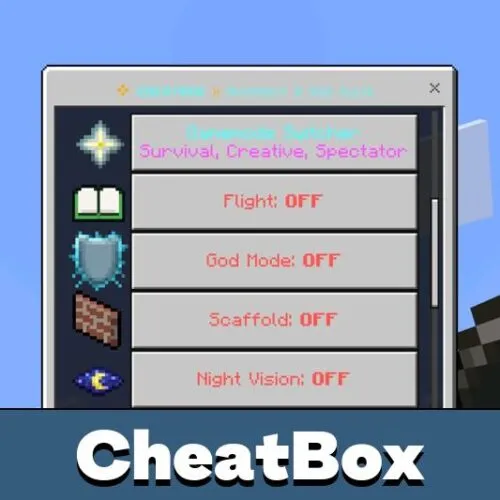
The Cheat suite includes God Mode, automatic status effects, fall protection, and instant healing. Players can also use Night Vision, Regeneration, and unlimited Saturation.
CheatBox is designed to keep achievements enabled without activating world cheats. Actual compatibility depends on the installed game and utility versions.
These features are useful during difficult survival sessions. Players can explore dangerous areas, recover from unexpected damage, and manage their abilities without entering complicated commands.
Flight System
Cheat Box includes two flight engines that automatically adjust to the current world settings.
When Education Edition is enabled, the utility uses native Mayfly flight. Players can double-tap Jump to take off, hover, ascend, and descend using familiar controls.
In ordinary Survival worlds, the Air-Glide Jetpack uses directional movement. Looking upward makes the character rise, looking forward allows cruising, and looking downward or sneaking controls descent.
Both systems include a temporary Slow Falling effect when flight stops. An actionbar indicator displays flight status and movement hints.
Inventory and Combat
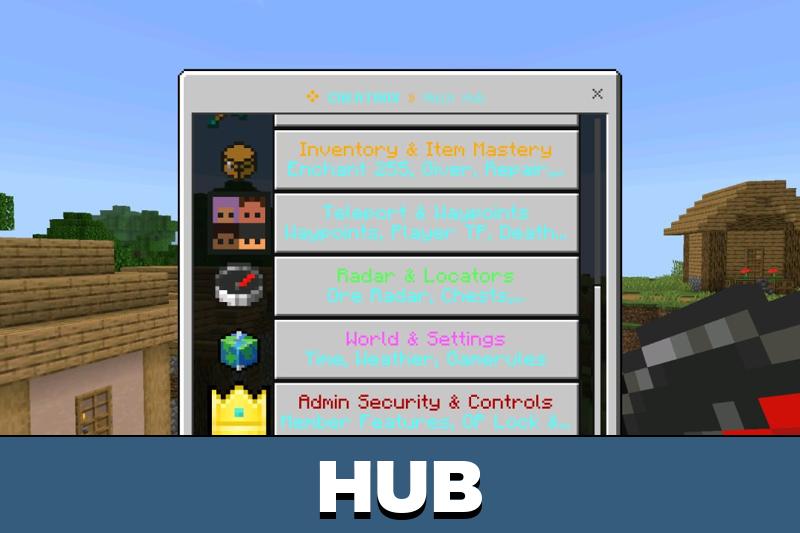
CheatBox offers an item giver with organized categories for weapons, armor, tools, minerals, food, and rare blocks. Equipment can also receive enhanced enchantments with configurable levels up to 255.
The utility provides automatic equipment repair, instant smelting, experience boosters, and an item magnet that collects nearby drops.
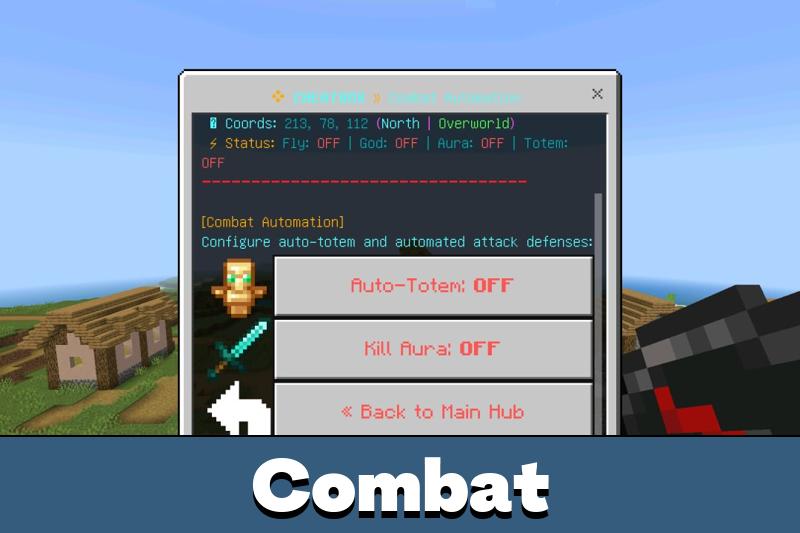
Combat features include Auto-Totem and Kill Aura. The first automatically equips a Totem of Undying when health becomes critical, while the second targets nearby hostile creatures.
Players interested in other gameplay utilities can explore Cheats for Minecraft Bedrock for additional ways to customize their worlds.
The Death Backpack feature preserves an inventory snapshot after death, allowing players to recover their belongings after respawning.
Radar and Teleportation
The Cheat utility includes an ore radar that displays nearby valuable resources through the actionbar. Players can locate diamonds, emeralds, ancient debris, gold, and iron using directional indicators and coordinates.
Additional tools detect storage containers, rare mobs, structures, and biomes. The scanning system uses scheduled processing to reduce interruptions during exploration.
Navigation features include unlimited waypoints, coordinate teleportation, dimension travel, and quick returns to previous positions or death locations.
The waypoint manager can save important locations across dimensions. Use it to return quickly to bases, mining areas, and distant structures.
Multiplayer teleportation also supports player consent. When someone requests to bring another player, the target can accept, decline, or temporarily block further requests.
How to Open
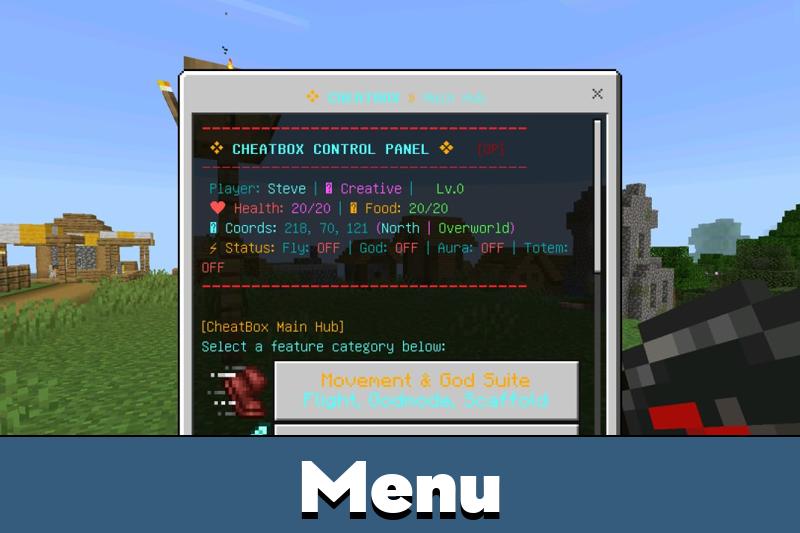
Cheat Box provides three ways to access its main menu on Android, Windows, and other supported Bedrock devices.
Method 1: Starter Compass
New players automatically receive a compass named “cheatbox” when joining a world. Hold the compass and tap and hold the screen on mobile, or right-click on PC, to open the menu.
Method 2: Chat Commands
Enter either of these commands in chat:
!cb
!menu
The utility intercepts these messages so they are not displayed to other players.
Method 3: Renamed Item
If the compass is lost, rename any ordinary item to “cheatbox” using an Anvil. Hold the renamed item and interact to reopen the menu.
World hosts can also manage access to individual features. Operator detection, custom admin tags, and whitelists allow administrators to restrict tools for regular members.
CheatBox combines six utility categories into one achievement-friendly interface. It includes dual-engine flight, inventory recovery, enhanced equipment, navigation, automated combat, and administrator permissions.
The behavior pack supports mobile controls, automatically selects English or Indonesian, and requires no experimental settings.








Comments