Download Minecraft 1.15 APK for Android
Download Minecraft Bedrock 1.15 Java Parity and Bug Fixes Update for Android and install the full version on your device. This update improves parity between Bedrock and Java Edition, adds 3D item models, and includes multiple bug fixes for more stable gameplay. The APK version supports Xbox Live and runs on compatible Android devices.
The average rating of all articles in the category is displayed.
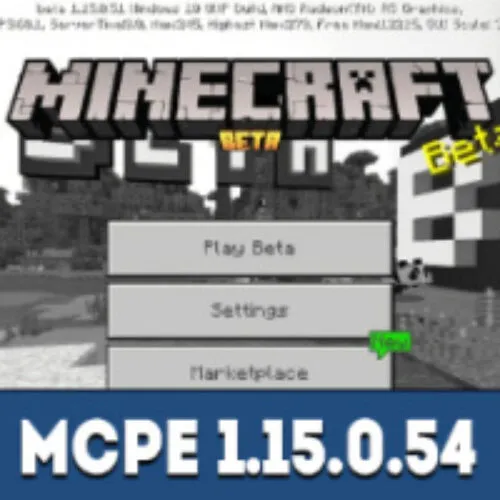
Minecraft 1.15: Java Parity and Bug Fixes Update
Minecraft 1.15 focuses on improving stability, performance, and bringing Bedrock Edition closer to Java Edition through parity changes. This update reduces differences between versions and introduces consistent gameplay mechanics across platforms.
One of the key improvements is the introduction of 3D item models. Dropped items now appear as full 3D objects instead of flat textures, making the game world more realistic and visually detailed.
Additional features from Education Edition have been integrated into the game, expanding available blocks and gameplay possibilities. This update also includes numerous bug fixes that improve overall stability and performance on Android devices.
If you want to download and install Minecraft or explore newer versions, use the download minecraft apk page, where all builds are available in one place.
How to Install Minecraft APK on Android
Minecraft can be installed on Android manually using an APK file format. The APK file format is used for installing Minecraft PE on Android devices outside of Google Play. Android blocks manual APK installation by default, so users must enable installation from unknown sources in system settings before proceeding.
Follow these steps to install Minecraft 1.15 correctly:
- Download the Minecraft 1.15 APK file to your Android device.
- Open Android Settings and go to Security or Privacy.
- Enable “Install unknown apps” or “Install from unknown sources” for your browser or file manager.
- Open your Downloads folder and locate the APK file.
- Tap the file, confirm installation, and follow the on-screen instructions.
- Wait for installation to complete and launch Minecraft.
This installation method works for all Minecraft Bedrock versions. Only the APK file version changes depending on the release.
System Requirements
- Android version: 8.0 or higher
- RAM: 3 GB minimum (4 GB recommended)
- Storage space: at least 1.5 GB free
- Processor: ARM64 (arm64-v8a)
FAQ
Can I install Minecraft 1.15 APK without Google Play?
Yes, Android allows manual installation using APK files. You need to enable installation from unknown sources in your device settings.
Is Minecraft 1.15 APK safe to install?
It is safe if the file is downloaded from a trusted source and is not modified. Avoid unofficial or suspicious files.
Why does Minecraft APK not install?
This can happen if your device does not meet system requirements, if there is not enough storage space, or if unknown sources are disabled.
Can I install other Minecraft versions the same way?
Yes, all Minecraft Bedrock APK versions use the same installation process regardless of version.
Will my worlds be saved after installation?
In most cases, worlds remain on your device, but it is recommended to create a backup before installing a new version.