Download Minecraft 26.20 / 1.26.20 APK for Android and install the stable Bedrock release with Closed Captions, Chaos Cubed experimental content, Sulfur Cubes, Realm Hub updates, visual fixes, mob improvements, and smoother mobile gameplay.
This version is the main Minecraft Bedrock 26.20 Release build for players who want a current Android update with accessibility upgrades, new experimental features, better Realms tools, and a large set of practical fixes.
Players can also use the main download Minecraft APK page to browse other Android builds, but this page focuses on the stable 26.20 / 1.26.20 release.
What’s New in Minecraft 26.20 / 1.26.20 Release
Minecraft 26.20 / 1.26.20 is a stable Bedrock Edition release with three major areas of interest: Closed Captions, Chaos Cubed experimental content, and the updated Realm Hub. Around these features, Mojang also added many gameplay, graphics, sound, mob, UI, and Android-friendly fixes.
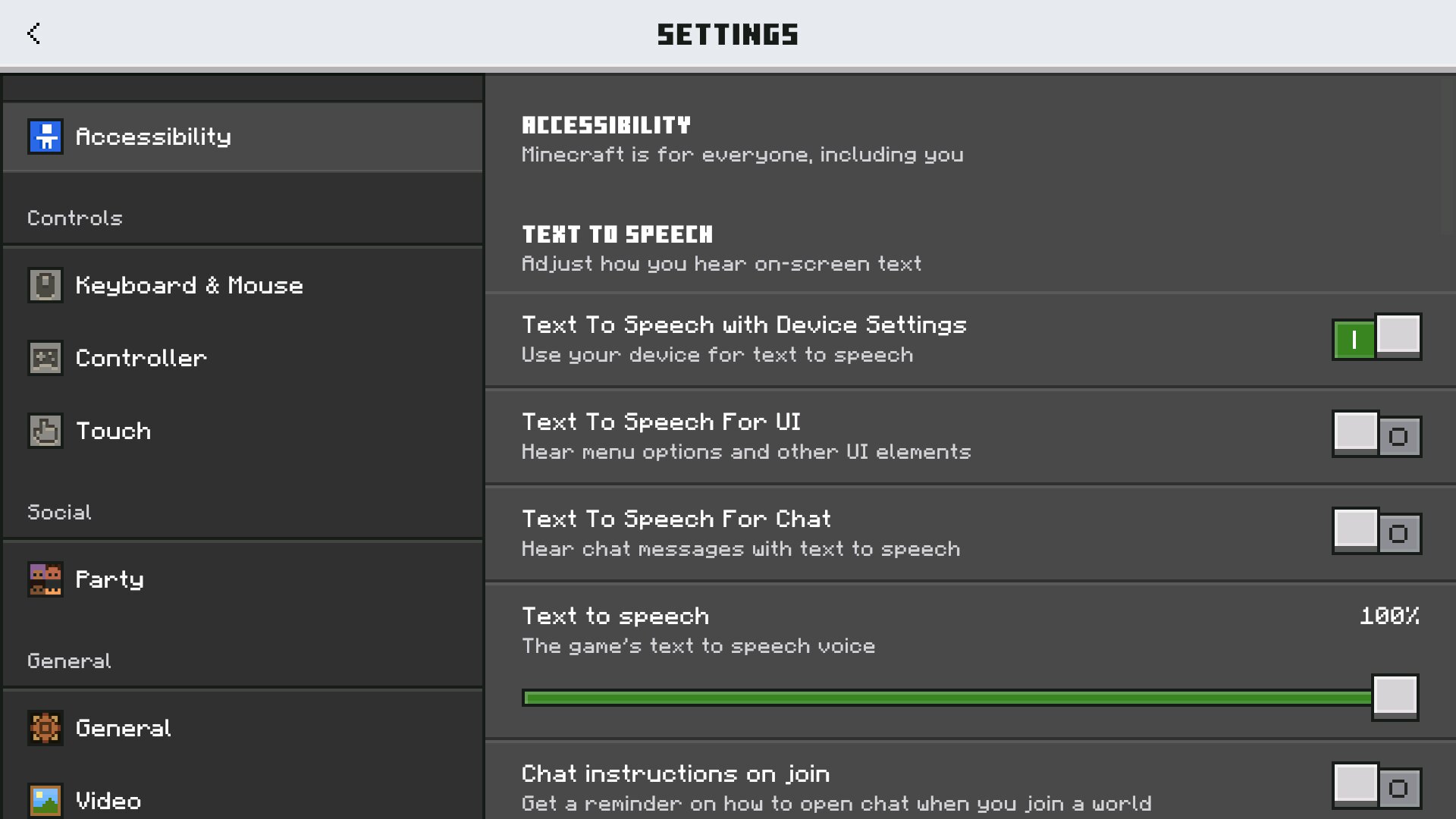
Closed Captions are one of the most important additions in this build. Players can follow important audio events through on-screen text instead of relying only on sound. This is useful during survival, exploration, combat, and building, especially when playing on a phone with low volume, headphones, or in a noisy place.
Minecraft 26.20 / 1.26.20 is the stable Release page. Chaos Cubed features are available through the experimental toggle and may still change in later updates.
Key Features Added in Minecraft 26.20 / 1.26.20
| Closed Captions |
New accessibility feature with adjustable sound, screen position, and duration options. |
| Sulfur Cubes |
Experimental mob from the Chaos Cubed direction with unusual movement and block-based behavior. |
| Sulfur Springs |
Overworld surface pools that help players find Sulfur Caves underground. |
| Potent Sulfur |
New block used to create bubbling hot pools, bubble columns, and noxious gas effects. |
| Realm Hub |
Updated Realms management area with admin roles, action logs, story feed, timeline, and subscription tools. |
| Gameplay Fixes |
Fixes for knockback, minecarts, damaged armor smelting, blocks, sounds, mobs, UI, and visuals. |
Closed Captions in Minecraft 26.20
Closed Captions make Minecraft 26.20 more comfortable for everyday mobile play. The game can now show sound-related information directly on the screen, helping players notice events that may be missed without audio. This is especially useful in caves, battles, villages, and busy survival worlds.
The feature can be adjusted by sound type, screen position, and duration. That gives Android users more control over how much information appears during gameplay. It also helps the interface stay readable on smaller screens instead of filling the display with too many alerts at once.
Chaos Cubed Experimental Content
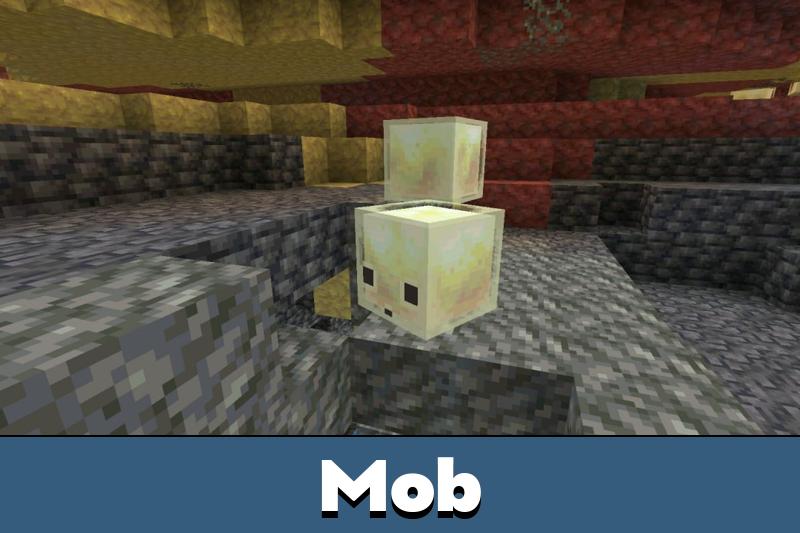
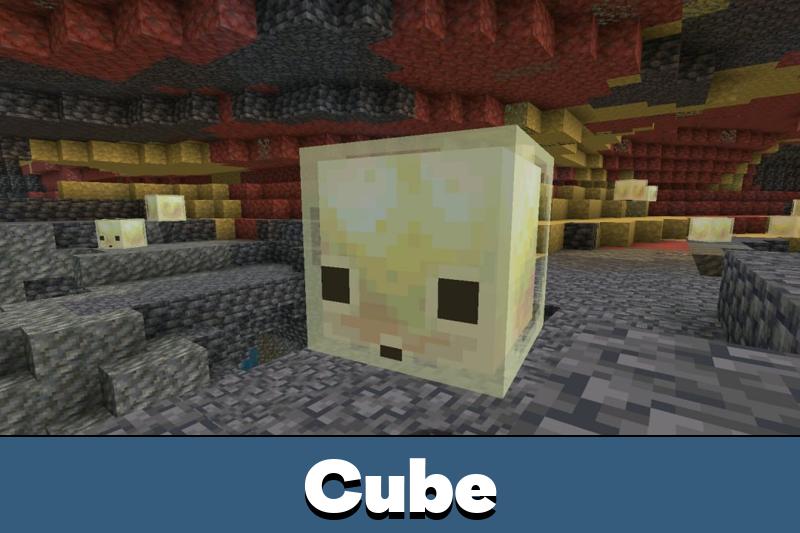
Minecraft 1.26.20 includes experimental content from the Chaos Cubed direction. The main highlight is the Sulfur Cube, a new mob connected with Sulfur Caves and sulfur-themed mechanics. It behaves differently from regular Bedrock mobs and gives this release a stronger sandbox feeling.
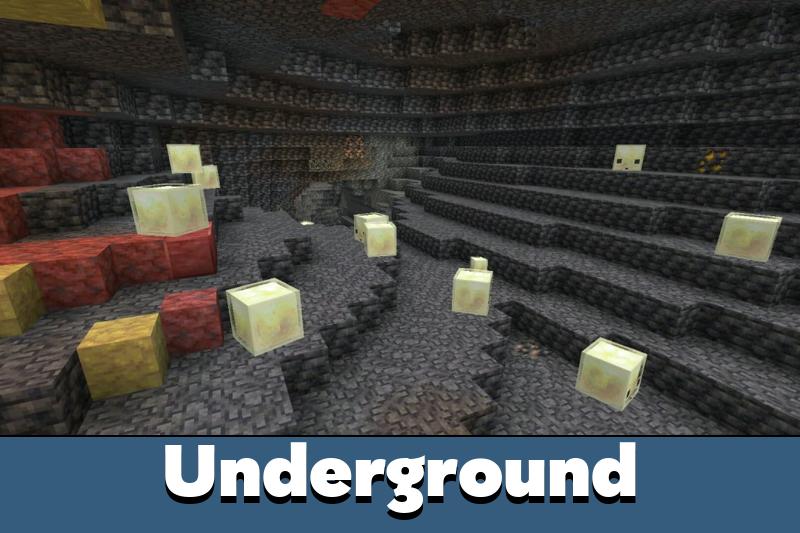
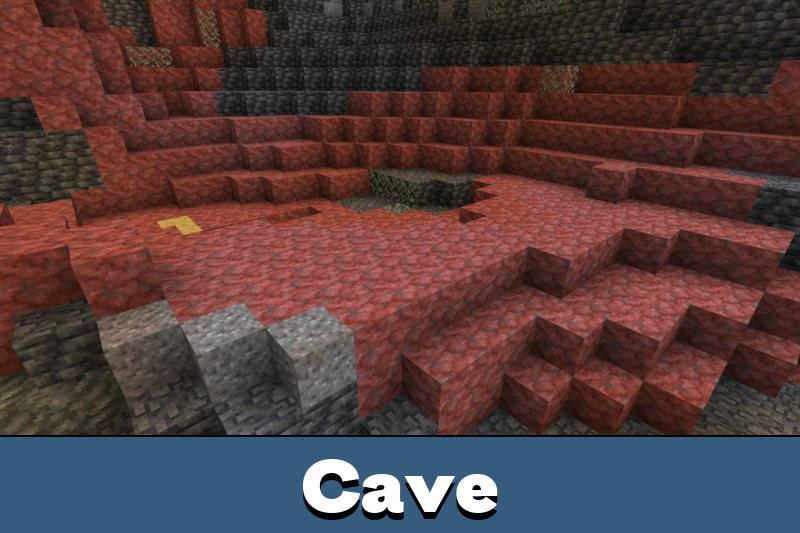
Sulfur Springs appear across the Overworld as surface clues. These pools are surrounded by Sulfur and Cinnabar blocks, with noxious gas rising nearby. Digging below a spring can lead players into Sulfur Caves, where shallow pools, glow lichen, yellow Sulfur blocks, red Cinnabar blocks, and Sulfur Cubes create a new underground atmosphere.
Minecraft 26.20 gives Android players the main stable release while still allowing Chaos Cubed features to be tested through the experimental toggle.
Sulfur Cubes, Potent Sulfur, and New Blocks
Sulfur Cubes are the most unusual mob in this release. They are connected with Sulfur Caves and react in a way that feels more physical than many standard creatures. Their behavior gives players a reason to test movement, knockback, and interaction inside the new cave environment.
Potent Sulfur adds another layer to the experimental content. When placed under water, it creates bubbling hot pools, bubble columns, and puffs of noxious gas. This can be used for atmosphere and decoration, but it can also become dangerous because the gas affects nearby players and mobs.
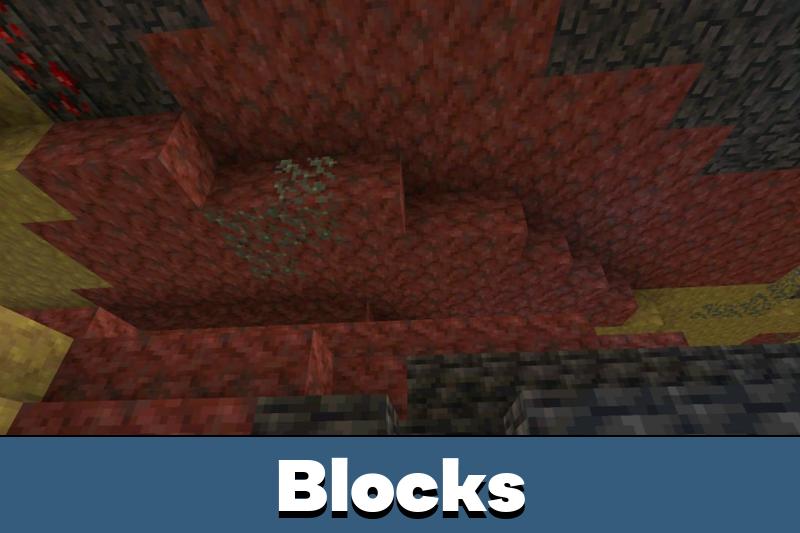
The update also adds full block families for Sulfur and Cinnabar. Builders get yellow and red materials that work well for cave bases, fantasy structures, underground ruins, and bright decorative builds. These blocks help the experimental caves feel more complete instead of looking like a small isolated feature.
Realm Hub and Party System
Realm Hub is one of the biggest multiplayer improvements in Minecraft 26.20. It brings Realm management into a more centralized place, giving owners better access to administrator roles, action logs, world editing, story feed, timeline, and subscription settings.
The Party System Beta also appears in this release. Players can create a party, chat with friends in a separate channel, and follow the party leader between worlds, Realms, and featured servers. For mobile users, this reduces extra steps and makes joining friends feel simpler.
Gameplay Fixes Players Will Notice
Minecraft 26.20 improves several systems that affect regular survival. Knockback was adjusted to behave closer to Java Edition, which makes combat reactions feel more familiar. Minecarts now transfer momentum properly after collisions, instead of stopping or behaving awkwardly on the same track.
Damaged armor can now be smelted into nuggets, giving old equipment a more useful result. Bone Meal behavior was also improved for Tall Seagrass, Grass Blocks, and Moss Blocks near polished stone variants. These changes are smaller than the new sulfur content, but they make normal gameplay feel cleaner.
Visuals, Sounds, and Mob Improvements
The release includes many fixes for Vibrant Visuals, textures, lighting, baby mobs, mob hitboxes, and sound behavior. Some visual problems with shields, overlays, empty chunks, shadows, bows, crossbows, mushrooms, and world loading were corrected.
Baby mobs also received texture, animation, hitbox, and sound fixes. These improvements help the world look more consistent and make mobs behave closer to their expected shapes. On Android, this kind of polish matters because small visual glitches are often easier to notice on a compact screen.
Android Compatibility
Minecraft 26.20 / 1.26.20 is made for Android players who want the current stable Bedrock release. If Minecraft 26.10 worked well on a phone or tablet, this version should feel familiar, with extra content and cleaner behavior rather than a completely different technical requirement.
Performance can still depend on world size, installed add-ons, graphics settings, free storage, and background apps. Players using large survival worlds or heavy resource packs should keep backups before updating to avoid losing progress if something goes wrong locally.
How to Install Minecraft 26.20 / 1.26.20 APK on Android
Before installing Minecraft 26.20 / 1.26.20 APK, check that the page shows the correct release version and that the file matches the Android build you need. Back up important worlds, make sure there is enough free storage, and install the file over the existing build if your device allows it.
For nearby updates from the same version branch, the download Minecraft 26 section helps players stay inside the correct 26.x line and compare other Android releases without confusing them with this stable 26.20 page.
Next Release After Minecraft 26.20
After this stable build, Mojang also released a smaller 26.x update focused on important fixes and stability. Players who want the next Android build from the same branch can open Minecraft PE 26.21 APK and check what changed after the 26.20 Release.
Minecraft 26.21 / 1.26.21 does not replace the meaning of this page. Version 26.20 remains the main Release build with Closed Captions, Chaos Cubed experimental content, Sulfur Cubes, Potent Sulfur, Sulfur Springs, and Realm Hub changes. The next update is useful for players who already tested 26.20 and want a newer build with extra fixes for crashes, gameplay stability, and technical issues.
Safety and File Check
Before installing the file, compare the version label, file size, and package name with the expected Minecraft Bedrock release. Avoid unclear mirrors, renamed packages, or pages that promise features not connected to the official 26.20 changelog.
Minecraft is a trademark of Mojang AB. This page is editorial coverage and is not affiliated with Mojang or Microsoft.
Source
Based on Mojang’s official Minecraft Bedrock 26.20 release notes: https://feedback.minecraft.net/hc/en-us/articles/45400537384333-Minecraft-Bedrock-Edition-26-20-Changelog




yoo can I ask how does the jenny mod works
Which link is to download for 32bit mobile
Please please tell me
Can I play multiplayer and use custom ui packs
Yes, multiplayer should work on Minecraft 26.20 / 1.26.20 if your friends use a compatible Bedrock version. Custom UI packs can also work, but some outdated packs may break menus or buttons, so try updating the pack or removing it if the interface looks wrong.
I installed this build mainly for the captions and Sulfur features. The caves feel more interesting now, and the Realms changes are useful if you play with friends often.
This guide explained everything clearly.