MCPEDL »
Download Texture Packs for Minecraft PE
Download texture packs for Minecraft PE free on Android. FPS boost, PvP, X-Ray, realistic and HD resource packs — all in .mcpack format for Bedrock Edition.
Tap any pack below to import it in one click. Open Settings → Resource Packs to activate it. Every pack on this page is free.
The average rating of all articles in the category is displayed.
What Texture Packs Change in Minecraft PE
A texture pack — also called a resource pack — changes how Minecraft looks without touching gameplay. It redraws blocks, items, the hotbar, armor, the sky and menus.
Your worlds and progress stay untouched. Texture packs are not shaders — shaders change lighting and shadows, texture packs change the surfaces themselves. Shaders are in a separate Shaders category.
FPS Boost Texture Packs for Minecraft PE
FPS boost packs are built for low-end Android devices. They reduce texture resolution and strip heavy visual effects to make Minecraft run smoother and cooler.
If your phone stutters, lags or overheats during gameplay, an FPS boost pack is the fastest free fix. Most run at 16x resolution — the game still looks clean and recognizable.
Low-end devices in particular benefit from packs that remove animated textures and simplify sky rendering. Download the FPS boost texture pack to get started.
PvP Texture Packs for Minecraft PE
PvP packs are optimized for combat. They sharpen sword and armor textures, improve ore visibility and make hit detection easier to read on Bedwars and Crystal PvP maps.
Most PvP packs use 16x resolution for maximum frame rate. Short attack animations and high-contrast item textures give a real advantage in fast-paced fights.
A smooth game matters more than visual detail when every hit counts. See the most downloaded option on the site: PvP texture pack for Minecraft PE.
X-Ray, Night Vision and Utility Packs
X-Ray packs make stone and dirt transparent so you can spot ores without mining. Advanced X-Ray is the most downloaded utility pack on the site.
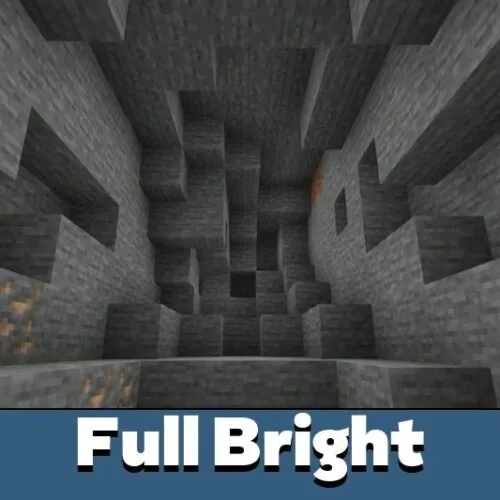
Night Vision and Full Bright packs light up caves and dark areas without potions. Useful for survival players who spend time underground.
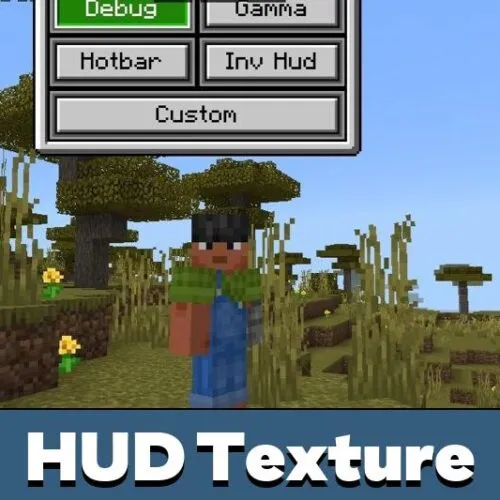
UI packs restyle the HUD, inventory slots and hotbar without changing blocks or items. They work well on small phone screens where the default interface feels cluttered.
Animated Texture Packs for Minecraft PE
Animated packs add movement to textures — swinging items, glowing effects and smoother character actions. They change how gameplay feels without touching mechanics.
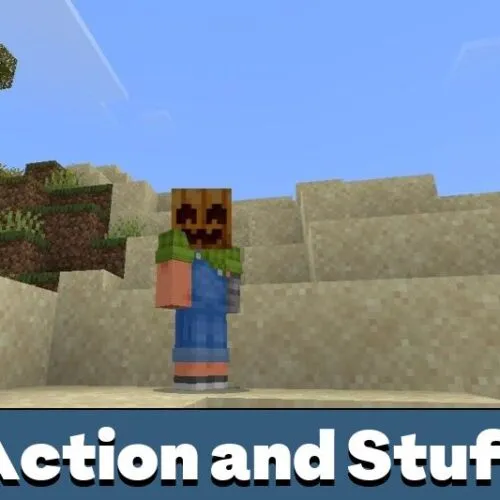
Action and Stuff is one of the most downloaded animated packs for Bedrock on Android. It improves movement animations and visual effects across the whole game.
Realistic and HD Texture Packs for Minecraft PE
Realistic packs push Minecraft's visuals toward a photographic look. They use higher resolutions — 32x, 64x or 128x — with detailed surfaces and sometimes PBR support.
Faithful-style packs keep the original Minecraft look but sharper and cleaner. They are a good middle ground between the default style and full HD.
You can run a texture pack and a shader together on Android. Enable both in Global Resources — put the texture pack above the shader in the active list.
Java vs Bedrock Texture Packs: What Works on Android
Texture packs for Minecraft Java Edition do not work on Bedrock or Pocket Edition. Java uses .zip resource packs, Bedrock uses .mcpack files.
All packs on this page are built for Bedrock Edition and work on Android. If a pack you found elsewhere will not import, check that it was made for Bedrock, not Java.
Resolution Guide: 16x, 32x and 128x
The number in a pack name is the pixel resolution per block face. 16x matches the default Minecraft look and runs smoothly on every Android phone.
32x and 64x add detail at a small performance cost. 128x and higher are for powerful devices only — they drop FPS significantly on low-end hardware.
How to Install Texture Packs on Android
Most packs download as .mcpack files. Tap the file and Minecraft imports it automatically — no extra steps needed.
Some larger packs ship as .zip archives for manual import. For the full walkthrough, see how to install texture packs on Android.
After import, open Settings → Global Resources, tap the pack and activate it. To apply it to one world only, open that world's settings and use Resource Packs there instead.
Texture Pack Not Working on Android: How to Fix
If a pack imports but nothing changes, it is not active in Global Resources. Open Settings → Global Resources and confirm it is switched on.
If the wrong textures show up, another pack sits higher in the active list. Hold and drag your pack to the top to give it priority.
Each pack page lists its supported Bedrock version range. Update Minecraft first if a pack will not import at all.
Running multiple packs at once can cause conflicts. The pack highest in Global Resources wins when two packs change the same texture.
FAQ
What is the difference between a texture pack and a resource pack?
They are the same thing in Bedrock Edition. Mojang's official name is resource pack, but most players call them texture packs. Both terms refer to the same .mcpack files on this page.
Which packs are best for weak Android phones?
FPS boost and 16x packs run best on low-end devices. They keep performance stable without changing the core Minecraft look.
Do PvP texture packs work on Bedwars?
Yes. PvP packs work on any Minecraft PE world or server including Bedwars maps. They change textures only — no gameplay mechanics are affected.
Do Java texture packs work on Minecraft PE?
No. Java Edition uses a different file format. Only .mcpack files built for Bedrock Edition work on Android.
Which file format should I download?
Most packs use .mcpack and import in one tap. Some authors also provide .zip files for manual import.
Why didn't the pack import?
Usually an unsupported Minecraft version, a damaged file, or Android opening the file with the wrong app instead of Minecraft.
Why are textures missing or broken?
The pack is outdated for your Bedrock build, conflicts with another active pack, or sits too low in the Global Resources list.
What does 16x, 32x or 128x mean?
It is the pixel resolution per block. 16x is the default and fastest. Higher numbers add detail but can lower FPS on weak phones.
Can I use several packs together?
Yes, but they can conflict. The order in Global Resources decides which textures, icons and UI take priority.