Download Anti Knockback Cheat for Minecraft PE: customize knockback, improve PvP control, and fix spam-clicking issues in Bedrock combat.
Anti Knockback Cheat for Minecraft PE
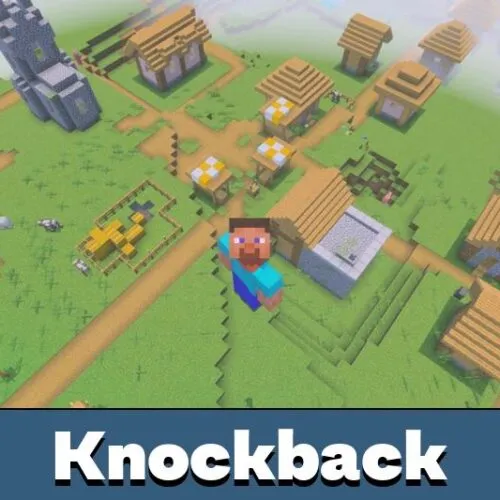
Anti Knockback Cheat changes how knockback works during combat. It is made for players who want cleaner PvP, more stable hits, and better control over movement after attacks.
The cheat reworks the native knockback and PvP system in Minecraft Bedrock Edition. Instead of using the default combat response, it lets players adjust how much knockback is applied during fights.
This is useful for PvP testing, private worlds, custom combat maps, and servers where modified combat rules are allowed. It does not add new weapons or mobs. Its main purpose is to make knockback behavior easier to control.
Better Knockback
Anti Knockback Cheat uses the /settings chat command to configure knockback behavior. This is the most important part of the setup, because the main combat value is controlled from that menu.
Players can adjust how strong knockback feels after hits. This helps create smoother PvP, reduce unwanted movement, and make fights feel more predictable.
Run the /settings command after activation to configure knockback before testing PvP combat.
The cheat is especially useful when default knockback feels too strong or inconsistent. With the right setting, combat can feel cleaner and less frustrating.
PvP Fixes
The cheat also fixes several problems caused by spam clicking the attack button. In normal gameplay, repeated attacks can create unwanted side effects with hit cooldown, durability, and hunger.
Anti Knockback Cheat helps prevent knockback from being applied during hit cooldown. This makes combat timing feel more consistent and reduces strange reactions during fast fights.
Players looking for similar tools can browse Cheats for Minecraft Bedrock and choose other options for private worlds or testing.
The cheat also fixes durability loss issues caused by repeated clicking. This helps weapons and tools avoid dropping durability too quickly during messy combat situations.
Survival Effects
Anti Knockback Cheat for Minecraft PE also improves survival comfort during PvP by reducing problems with hunger loss. Spam clicking can drain hunger too quickly, and this system is designed to fix that behavior.
The cheat is not about giving extra damage or new combat abilities. It focuses on cleaner knockback rules and removing glitches that make Bedrock fights feel broken.
Version 1.0.0 requires the Beta APIs experiment enabled in the world settings. Without this option, the cheat may not work correctly.
Known Issue
There is one known issue. After attacking an entity, the attacker cannot attack another entity for 10 ticks, which is half a second.
This happens because the weakness effect is applied to the attacker after a hit. That effect is needed to fix the knockback glitch that appears when players spam click the attack button.
Enable Beta APIs before using the cheat, then test combat in a separate world to check the knockback settings.
This small delay is part of the system that makes hit behavior more stable. Players should keep it in mind when testing PvP or building custom combat rules.

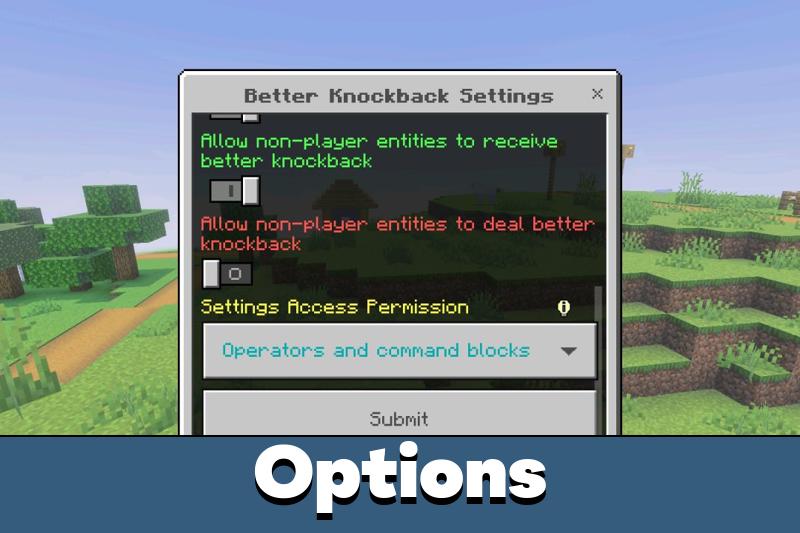
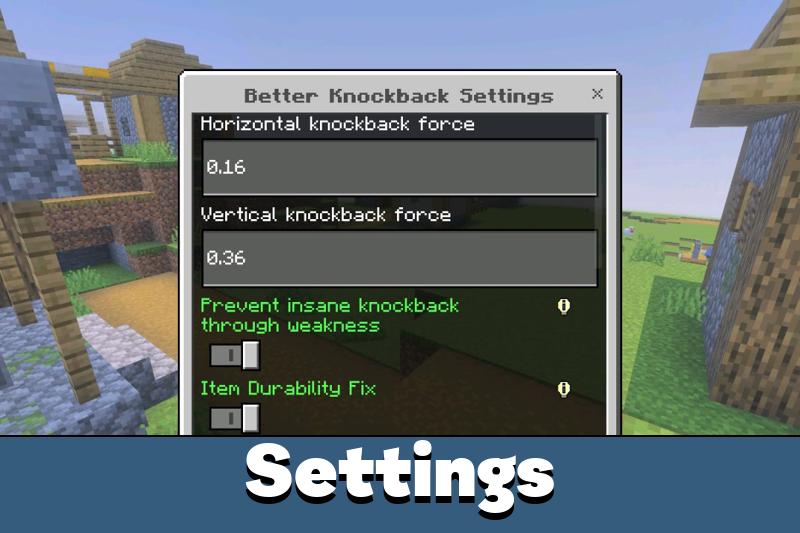








The /settings menu is the main thing here. Once I changed the knockback value, PvP felt much smoother and less random.