MCPEDL »
Download Minecraft APK Free
Download the latest Minecraft Bedrock APK free or install a compatible version for your Android device with safe direct files and clear changelogs.Latest Minecraft PE Version
Get the newest stable release with smooth performance and easy installation.Looking for an older version?
Downloading a previous Minecraft Bedrock APK for Android can be useful if the latest update does not work correctly on your device. In some cases, an earlier build provides better performance, improved stability, and more reliable world loading.
Rolling back to an older version is common in several situations. For example, a new update may introduce bugs, lag, or interface issues. It may also break add-ons, making modded gameplay unusable. Another frequent scenario is multiplayer mismatch, when friends or servers are running a different version and connection becomes impossible.
When choosing a version, it is important to focus not only on the version number but also on stability. Versions within the same update branch, such as 26.1 or 26.2, are usually more reliable than switching to a completely new branch. This is especially important if you use existing worlds or add-ons created on earlier versions.
Before downgrading, it is strongly recommended to back up your worlds. On Android, world files are typically stored at /sdcard/games/com.mojang/minecraftWorlds/. Creating a backup helps prevent data loss in case of installation errors or compatibility issues.
It is also important to understand that worlds created or updated in newer versions may not open in older builds. In such cases, downgrading can result in loss of access to saved progress.
Each version page provides release details, changelog highlights, and Android compatibility information, helping you choose the right Minecraft APK for your device, whether you need stable gameplay, multiplayer compatibility, or add-on support.
The average rating of all articles in the category is displayed.
Minecraft APK for Android and open the exact build you need: Release (stable), Beta/Preview (testing), or Hotfix (small fixes). Each version page includes a changelog, device notes, and a direct APK download button.
If you searched for “minecraft apk free download”, use this page to pick a specific Minecraft build for Android and install it manually. Choose a stable Release for everyday play, or a Beta/Preview build if you want to test changes early. Latest Release:
Choose a Minecraft PE Version to Download
Open the version page you need. Each item leads to a dedicated page with changelog details and a direct APK download button.
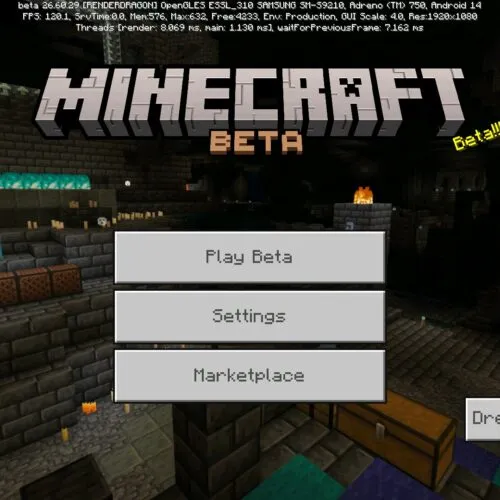
- Minecraft PE 26.40.22 — Beta — June 2026 — Bedrock update focused on Sulfur Cube spawning and behavior fixes, improved Vibrant Visuals underwater rendering, corrected mob graphics with PBR resource packs, better multiplayer resource pack management on low-storage devices, Realms interface improvements, accessibility enhancements, UI fixes, and overall stability and performance upgrades for Android devices.
- Minecraft PE 26.40.20 — Beta — June 2026 — Bedrock update focused on Sulfur Cube behavior fixes, improved Texture Streaming visuals, corrected bucket mob mechanics, enhanced Sulfur Caves water fog, Realms interface improvements, audio fixes, memory leak patches, and overall stability and performance upgrades for Android devices.
- Minecraft PE 26.30.32 — Beta — May 2026 — Bedrock update focused on Chaos Cubed fixes, improved Sulfur Caves blending, corrected Sulfur Cube movement, better bucket and TNT redstone behavior, Potent Sulfur boat and falling block propulsion, Vibrant Visuals mob rendering fixes, restored taiga biome music, and technical stability improvements for Android gameplay.
- Minecraft PE 26.23 — Hotfix — May 2026 — Bedrock update focused on fixing Vibrant Visuals black squares on certain Android devices, patching several gameplay crashes, improving Realms reliability, and making mobile sessions more stable without adding new blocks, mobs, or gameplay mechanics.
- Minecraft PE 26.20 — Release — May 2026 — major Bedrock update with Closed Captions, Chaos Cubed experimental content, Sulfur Cubes, Sulfur Caves, Sulfur Springs, Potent Sulfur, Realms Hub, Party System beta, visual fixes, mob updates, and improved stability on Android devices.
Version Numbering System
When choosing a Minecraft APK, it is important to understand how version numbering works. The main format follows MAJOR.MINOR.PATCH.BUILD, for example 1.26.10.25.
- MAJOR — represents the game generation. In Bedrock Edition, it remains constant as 1.
- MINOR — the main update branch, such as 26, which reflects the current development cycle.
- PATCH — the version number inside the same update branch. For example, 1.26.0 is the first release, while 1.26.1 and 1.26.2 are later stable versions in the same branch.
- BUILD — a specific build identifier, most commonly used in testing. For example, 1.26.10.25 is a particular build within version 1.26.10.
On many pages, short-form naming is used for readability. For example, 26.2 means 1.26.2, and 26.10.25 corresponds to 1.26.10.25.
The version lifecycle typically progresses from Beta or Preview builds to a stable Release, followed by patches that fix bugs and improve performance. Understanding this structure helps you choose the right APK version more confidently.
Official Sources, Distribution Channels & APK Authenticity
Official sources and installation methods for Minecraft Bedrock on Android directly affect both security and stability. Minecraft Bedrock is developed and released by Mojang Studios, a Microsoft-owned company, and the primary official distribution channel is Google Play.
Installing through Google Play is the simplest and safest method. The store verifies files, manages updates, and reduces the risk of installing modified or corrupted builds. For most users, this is the default choice, especially when stability and automatic updates are important.
Manual APK installation is an alternative method where you download and install the game file yourself. This approach is used when Google Play is not available, when a specific version is required, or when testing a particular build. In these cases, APK installation allows more control over version selection.
The key factor when installing an APK is authenticity. Official Minecraft Bedrock builds use the package name com.mojang.minecraftpe. After installation, you should verify that the package name matches the official one.
Digital signature verification is also important. Android checks the app certificate, and if the signature does not match the official publisher, installation may fail or trigger security warnings. This is a common cause of the “App not installed” error.
Signature conflicts occur when another version of Minecraft with a different signature is already installed. To fix this, remove the existing version before installing a new build or use the same installation source consistently.
Google Play remains the best default option. APK installation should be treated as a controlled method for version selection and compatibility, not as a replacement for official distribution. Understanding these differences helps you choose the correct and safe Minecraft APK.
Build Types — Patches, Hotfixes, Beta, Preview, Release Cycle
- Release: stable builds for regular gameplay, featured servers, and Realms.Choose Release if you want the safest install, predictable performance, and the best compatibility with worlds and add-ons.
- Beta / Preview: testing builds with experimental changes and unfinished features.These builds can be unstable, may break worlds or add-ons, and often have multiplayer limits. In general, Android access is commonly labeled Beta (via Google Play), while Xbox, PlayStation, Windows, and iOS use Preview, but both represent work-in-progress versions in the same testing cycle.
- Hotfix: small urgent updates released after a major update to fix critical crashes, severe performance issues, broken UI scaling, or device-specific bugs.Hotfixes are focused on fast stabilization and usually do not add new gameplay features.
- Patch: incremental updates that improve stability and compatibility over time.Patches often fix multiple smaller bugs, reduce lag, and help keep older worlds and add-ons working more reliably than immediately jumping to a new major update.
Version numbering helps you identify what you are installing. A common format is MAJOR.MINOR.PATCH.BUILD, for example 1.26.0.29.
On many pages, short names are used for readability by dropping the leading “1.”, for example 26.1 means 1.26.1, and 26.0.29 means 1.26.0.29.
Here, 1 is the generation (MAJOR), 26 is the main update branch (MINOR, tied to the current year-style numbering), and 0 is the patch number.
PATCH is the version number inside the same update branch: 26.0 is the first release in the 26 branch, then 26.1 and 26.2 are later stable versions in the same branch.
The last number, BUILD, is a specific build identifier most often used for individual builds, especially during testing and rollout.
For example, 26.0.29 is a Beta or Preview testing build.
How to choose quickly: pick Release for everyday play and Realms, use Beta or Preview only if you want early features and accept instability, and prefer a Hotfix or Patch when you need stability fixes after updating.
If a new version causes crashes, add-on conflicts, or performance drops, selecting a nearby stable Release or a newer patch or hotfix is usually the safest move.
What is Minecraft Bedrock Edition?
Minecraft Bedrock Edition is the cross-platform version of Minecraft designed for Android devices, iOS, consoles, and Windows 10/11. When users search for a Minecraft APK download, they are specifically looking for the Bedrock Edition, because APK files are used to install Android applications. This makes Bedrock the correct version for mobile gameplay and manual installation.
Minecraft PE (Pocket Edition) is now fully integrated into Bedrock. In modern versions, Minecraft PE and Bedrock Edition refer to the same game line, sharing updates, features, and version numbers. This is important when choosing a version, because all Android APK files correspond to Bedrock builds rather than any separate mobile edition.
One of the main advantages of Bedrock Edition is cross-platform play. Players on Android can join worlds with users on Xbox, PlayStation, Nintendo Switch, iOS, and Windows. Multiplayer compatibility depends on version matching, meaning players need the same or compatible builds to connect to servers, Realms, or friends.
Minecraft Java Edition is a separate PC-only version built on different technology. It does not support Android devices and has no APK format, so it should not be confused with Bedrock when downloading the game.
The game is developed by Mojang Studios, which is owned by Microsoft. Mojang manages updates, version releases, and official changelogs for Bedrock Edition across all platforms.
Note: Minecraft Dungeons is a separate game and is not related to Minecraft Bedrock Edition APK downloads.
Install Minecraft PE APK
- Open the version page you need and download the APK.
- Android Settings → Security/Privacy → enable “Install unknown apps” for your browser or file manager.
- Open the downloaded APK and complete installation.
- If Android shows “App not installed” or a signature conflict, uninstall the existing Minecraft build first, then install again.
Android Compatibility — Bedrock vs Java, Device Specs, World Compatibility
Minecraft Bedrock compatibility on Android depends on the system version, device architecture, and hardware performance. APK files apply only to Bedrock Edition, while Java Edition is PC-only and does not run on Android devices.
Bedrock is optimized for mobile devices, but performance can vary depending on hardware. For stable gameplay, at least 3–4 GB of RAM and a modern ARM v8 processor are recommended. Devices using ARM v7 may run the game with reduced performance and stability. x86 devices have limited support and may experience issues or inconsistent performance.
Android version also affects compatibility. Newer Android versions generally provide better support for recent Minecraft updates, while older systems may run the game but not support newer features or builds.
World and add-on compatibility depends on the Minecraft version. Moving to a new update branch can cause issues with loading worlds or running add-ons. Versions within the same branch, such as 26.1 and 26.2, usually maintain better compatibility and stability.
| Android / CPU | Status |
|---|---|
| Android 8–9 | Works |
| Android 10–11 | Works |
| Android 12–14 | Tested |
| x86 Devices | Limited support |
| ARM v7 | Compatible |
| ARM v8 | Fully supported |
If the game does not start or runs with errors, check your Android version, device specifications, and the selected Minecraft build. In many cases, installing a more stable version or downgrading to a previous release can resolve compatibility issues.
Modding and Add-ons Compatibility
Mods and add-ons in Minecraft Bedrock directly affect which version you should install. Unlike Java Edition, which uses traditional mods, Bedrock relies on an add-on system that includes behavior packs and resource packs. These modify gameplay elements such as mobs, items, and mechanics, but they must match the correct game version to function properly.
Each add-on is designed for a specific Minecraft version. If you install a newer or older APK, the add-on may stop working, load incorrectly, or fail completely. Because of this, choosing the right Minecraft APK is not only about getting the latest version, but about matching the version required by your add-ons.
In practice, this means you should always check which version your add-on supports before downloading the game. Many popular add-ons are updated with delay, so players often stay on a slightly older version that guarantees compatibility instead of updating immediately to the newest release.
Updates can break add-ons. When a new version of Minecraft is released, internal mechanics, commands, or file structures may change. As a result, older add-ons may stop working. In this situation, players either wait for the add-on to be updated or install a previous version of Minecraft that still supports it.
Patches within the same update branch, such as 26.1 to 26.2, usually maintain better compatibility with add-ons than switching to a completely new update branch. For this reason, stable builds within the same version line are often the safest choice for modded gameplay.
If an add-on does not work, check the game version, verify proper installation, and try another compatible build. In many cases, the issue is not the add-on itself, but a version mismatch between the add-on and the installed Minecraft APK.
File Safety
- APKs are scanned with multiple security engines to detect potential threats and ensure clean installation files.
- We verify the package name and digital signature. Official Minecraft Bedrock builds use the package name com.mojang.minecraftpe and are signed by Mojang.
- Files are installed and tested on different Android versions to confirm proper functionality and compatibility.
Installing APK files on Android requires permission to install apps from unknown sources. Depending on your browser, such as Chrome, Samsung Internet, or Firefox, the system may ask you to enable this permission before installation.
If you see an “App not installed” error, it is usually caused by a signature conflict. This happens when another version of Minecraft with a different signature is already installed. To fix this, remove the existing version and install the new APK again.
All files are tested before publication to reduce risks and ensure reliability. More details: How we test files.
Multiplayer Compatibility, Servers & Cross-Platform Play
Multiplayer in Minecraft Bedrock depends on version compatibility. If you download a Minecraft APK for Android, the build you install must match the version used by your friends, the server, or the Realm you want to join.
When versions do not match, the game often shows an “outdated client” or “incompatible version” message and blocks the connection. This is why choosing a specific Minecraft PE version is not only about performance, but also about online access.
Bedrock supports cross-platform play, so Android players can play with friends on iOS, Xbox, PlayStation, Nintendo Switch, and Windows.
Cross-platform works only when everyone is on Bedrock and uses compatible versions. A practical rule is simple: if a friend updated to a newer Release, older installs may fail to join their world. If a friend stays on an older build, updating too early can also cause a mismatch.
There are three common multiplayer routes. Featured servers require the correct game version and a stable connection. Personal or community servers may stay on a specific version, so matching the server version is the priority.
Realms is Mojang’s subscription multiplayer service and typically expects stable Release builds. Testing builds can have limited or no Realms access, so for Realms it is safer to install a stable version.
A Microsoft account is required for most online features, including cross-play, Realms, and Marketplace access.
Single-player can work offline, but online play usually requires signing in. If sign-in fails, check network permissions, time and date settings, and try a stable Release build before troubleshooting deeper.
If multiplayer is the goal, start by identifying the exact version used by the server or your friends, then install the matching build.
When unsure, choose the latest stable Release and avoid switching between testing and stable builds on the same device, because different installs can cause conflicts and connection issues.
How to Read Minecraft Changelogs
A Minecraft changelog shows what changed in a specific version and helps you decide whether to update before downloading.
First, check bug fixes. If the changelog includes fixes for crashes, lag, or world loading issues, updating is usually worth it, especially if you have experienced similar problems.
Next, look for changes that affect compatibility. Some updates modify game mechanics, commands, or internal systems, which can break add-ons or cause issues with existing worlds.
New features do not always mean a better version. If your current build is stable and the changelog only lists minor changes, updating can be postponed.
Changelogs are also useful for multiplayer decisions. If a server or your friends use a specific version, check that it does not include major issues before installing it.
Official Mojang changelogs are the main source of accurate information. A quick review of key changes helps avoid stability and compatibility problems.
FAQ
Is it safe to download Minecraft PE APK here?
Yes. Files are scanned and verified before publication. Always choose a build compatible with your Android version.
Is this a free Minecraft APK download?
The APK files are provided as direct downloads for specific Bedrock Edition builds. Choose the version you need and install it manually on Android.
Can I download Minecraft free for Android?
The Minecraft APK files on this page are provided as free direct downloads, so you can download Minecraft free and install a specific Bedrock build manually on Android. Keep in mind that Minecraft itself is a paid game owned by Mojang Studios — these files let you install or update a version on your device, but a Microsoft account is still needed for online features like Realms and multiplayer.
Do I need a Microsoft account to play?
A Microsoft account is not required for single-player mode. However, it is needed for multiplayer, Realms, and Marketplace access. It also allows syncing progress across devices.
How do I back up my worlds before installing another version?
Before installing a new or older version, back up your worlds. On Android, world files are located at /sdcard/games/com.mojang/minecraftWorlds/. Copy this folder to a safe location to avoid losing progress.
What is the difference between Beta and Preview?
Both are test builds. Beta is commonly distributed through Google Play on Android, while Preview is used on Windows, iOS, and consoles as a separate app. These versions may be unstable, include experimental features, and often do not support Realms.
Why does the APK not install?
Most often it is caused by conflicts with an already installed build. Uninstall the previous version first and try again.
Can I install an older version?
Yes. Uninstall the current build, then install the older APK. Some worlds created in newer versions may not open correctly after rollback.
Troubleshooting — Cache, Signature Conflicts, Performance
If you encounter issues when installing or launching a Minecraft APK, they are usually related to version compatibility, Android settings, or corrupted data.
- App not installed: usually caused by a signature conflict. If another Minecraft version from Google Play or a different source is installed, remove it before installing the new build.
- Parse error: indicates that the APK is not compatible with your device or Android version.
- Crash after launch: clear cache and reboot the device. Reinstallation may also help.
- World not loading: often caused by incompatible add-ons or experimental features.
- Not enough storage: ensure at least 1 GB of free space before installing.
- Permission issues: make sure installation from unknown sources is enabled.
If the issue persists, try installing a different Minecraft version, as some builds may be unstable on specific devices or Android versions.
Report Broken Link
If a download link is broken or the APK does not install, please report it via Contact. Include your device model, Android version, and the MCPE build you tried.