MCPEDL » Texture Packs » Shaders » Gemini Ultra Boost Shader for MCPE

Gemini Ultra Boost Shader for Minecraft PE

Trusted File
Version MCPE 1.17.0 - 1.26.30 for Android
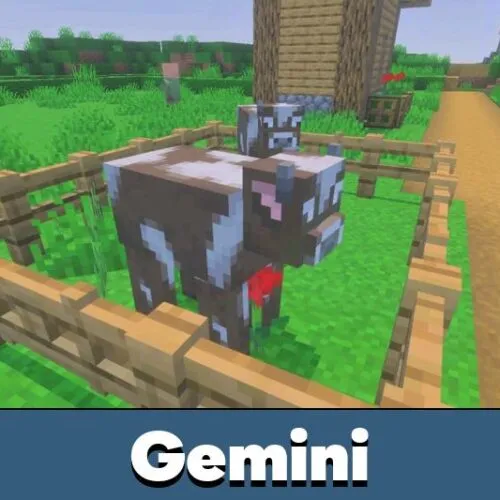
Gemini Ultra Boost Shader for Minecraft PE reduces lag, removes particles, adds small fire, outline ores, and cleaner mobile combat.

Download How to Install?
Author: Brandon Taylor
Published: 21 June 2026
Download Best Shaders

Download Gemini Ultra Boost Shader for Minecraft PE: reduce lag, remove heavy effects, improve FPS, and make mobile combat feel faster on weak and mid-range devices.

Gemini Ultra Boost Shader for Minecraft PE

Gemini Ultra Boost Shader is made for players who need smoother gameplay instead of heavy visual effects. It focuses on speed, cleaner rendering, and a more responsive feel during movement, combat, and survival sessions.

This shader is especially useful for low and mid-range devices. It reduces visual load, removes unnecessary effects, and helps the game feel lighter during fights, exploration, and busy server moments.

The main idea is simple. Players get fewer distractions, faster screen response, and a more stable experience. It does not try to make the world realistic. It is built for practical performance.

Gemini Ultra Boost

Gemini Ultra Boost Shader helps Minecraft PE players reduce lag by lowering the pressure on the device. This can make movement smoother, especially when the world has many mobs, blocks, or active effects.

Gemini removes particles to improve performance. This is useful during combat because particles can hide the screen and make fast actions harder to read.

Gemini is best for players who care more about stable FPS than extra visual effects.

No Flipbook animations also help reduce load. Animated textures can affect weaker phones, so removing them makes the game feel simpler and faster during normal play.

Combat Visibility

The shader is useful for players who want a faster and cleaner combat experience. Less visual noise means enemies, movement, and hits are easier to notice on a mobile screen.

Small fire is another helpful feature. Fire can cover too much of the screen during fights, so a reduced fire view makes battles easier to control.

The transparent pumpkin head interface also improves visibility. Players can wear a pumpkin without losing as much screen space, which is useful in specific survival situations.

Players who want to compare similar visual options can browse Shaders for Minecraft Bedrock and choose another style for their device.

UI and Mining

Gemini Ultra Boost Shader for Minecraft Bedrock Edition also changes the interface. The main menu looks more lively and polished, so the game feels cleaner before the world even loads.

Outline ores make mining easier because important blocks become more noticeable. This helps players move faster through caves and spend less time searching in dark or crowded areas.

The shader keeps the focus on useful changes. It does not overload the world with cinematic lighting, reflections, or heavy sky effects. Instead, it improves the parts that matter most for mobile performance.

Use Ultra Boost when FPS drops, particles, fire, or animated textures make gameplay harder to control.

This makes it a strong choice for servers, PvP, survival worlds, and long mobile sessions where stable response matters more than decoration.

FAQ

Does Gemini Ultra Boost Shader remove particles for better combat visibility?

Yes. It removes particles to reduce screen clutter and make movement, hits, and enemies easier to see during fights.

Will Gemini Ultra Boost Shader improve FPS on low-end mobile devices?

It can help because it removes particles, disables Flipbook animations, and reduces visual load. Results still depend on the phone and world size.

Can Gemini Ultra Boost Shader be used with other visual shaders?

It is better to avoid stacking it with heavy visual shaders because their effects can overlap and reduce the performance benefit.

Comments

  1. This helped my old phone a lot during fights. The smaller fire and fewer effects made everything easier to see, and the game felt more responsive.